The Benefits of Using PowerQuery and PowerPivot Within Excel
The Benefits of Using PowerQuery and PowerPivot Within Excel
Excel is one of the most widely used business tools in the world, but many users still rely on manual processes that limit efficiency and accuracy. By understanding the benefits of using PowerQuery and PowerPivot within Excel, professionals can dramatically improve how they clean data, analyze information, and build scalable reports.
PowerQuery and PowerPivot are built directly into Excel and together provide a modern, automated, and professional approach to data management and analytics—without requiring advanced programming skills.
What Is PowerQuery in Excel?
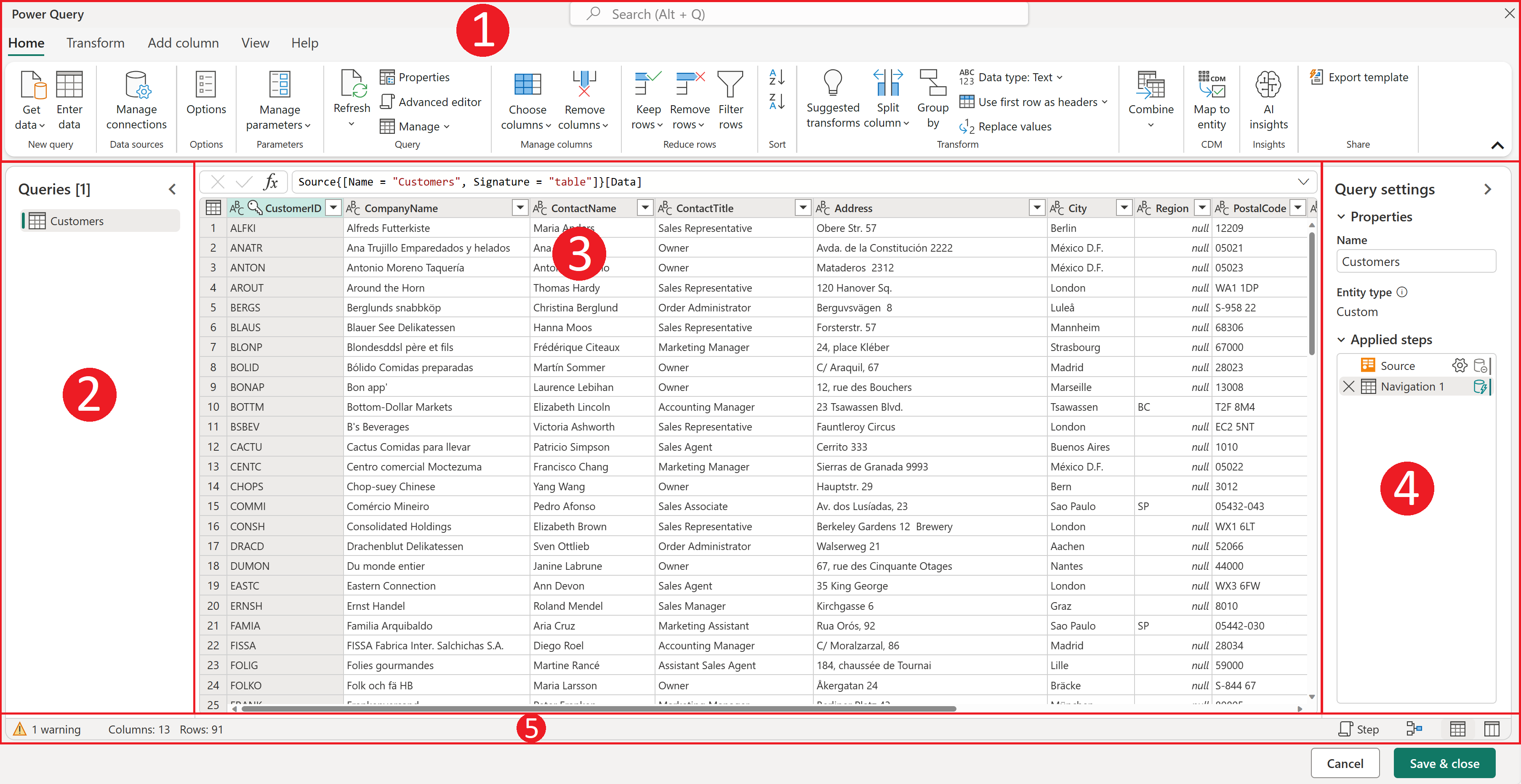
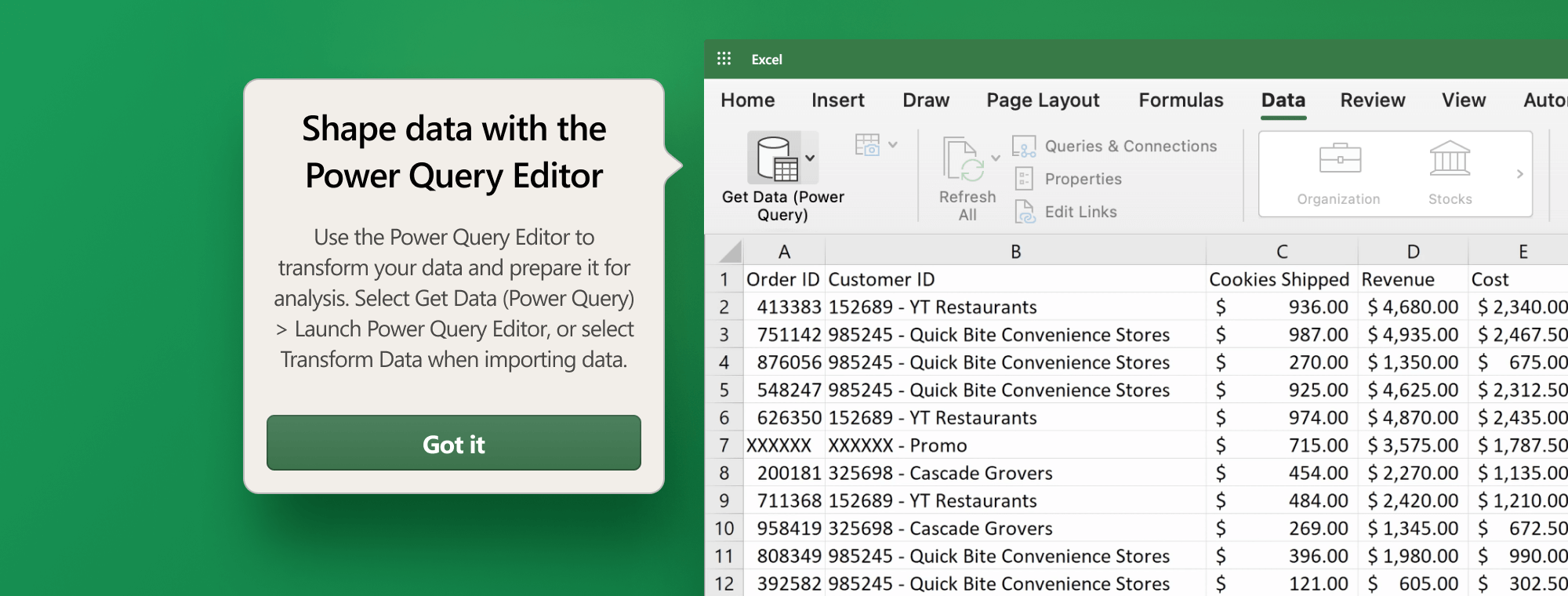
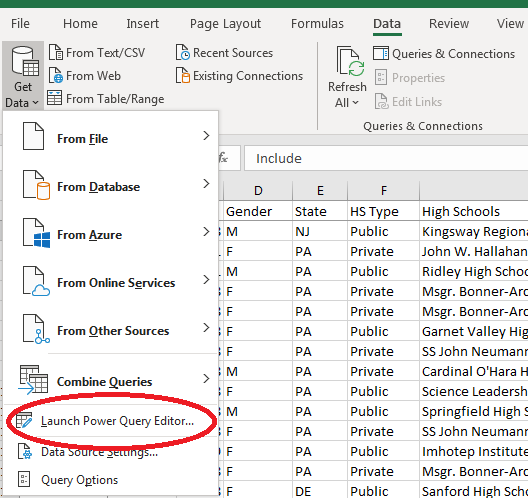
PowerQuery is Excel’s data connection and data transformation tool. It allows users to import, clean, and reshape data from virtually any source using a repeatable, automated process.
Benefits of Using PowerQuery Within Excel
1. Automated Data Cleaning and Preparation
One of the biggest benefits of using PowerQuery within Excel is eliminating repetitive manual work. PowerQuery can:
- Remove duplicates
- Fix inconsistent formatting
- Split or merge columns
- Standardize dates and text
Once created, these steps can be refreshed automatically whenever new data is added.
2. Connects to Multiple Data Sources
PowerQuery allows Excel users to combine data from:
- Excel and CSV files
- Databases
- SharePoint and OneDrive
- Web pages and online systems
This makes PowerQuery ideal for consolidating data from multiple systems into a single, reliable dataset.
3. Improves Accuracy and Consistency
Because PowerQuery records every transformation step, the same logic is applied every time the data refreshes—greatly reducing errors caused by manual edits.
4. No Complex Formulas Required
PowerQuery uses a user-friendly, point-and-click interface. Even non-technical users can build professional-grade data preparation processes.
What Is PowerPivot in Excel?
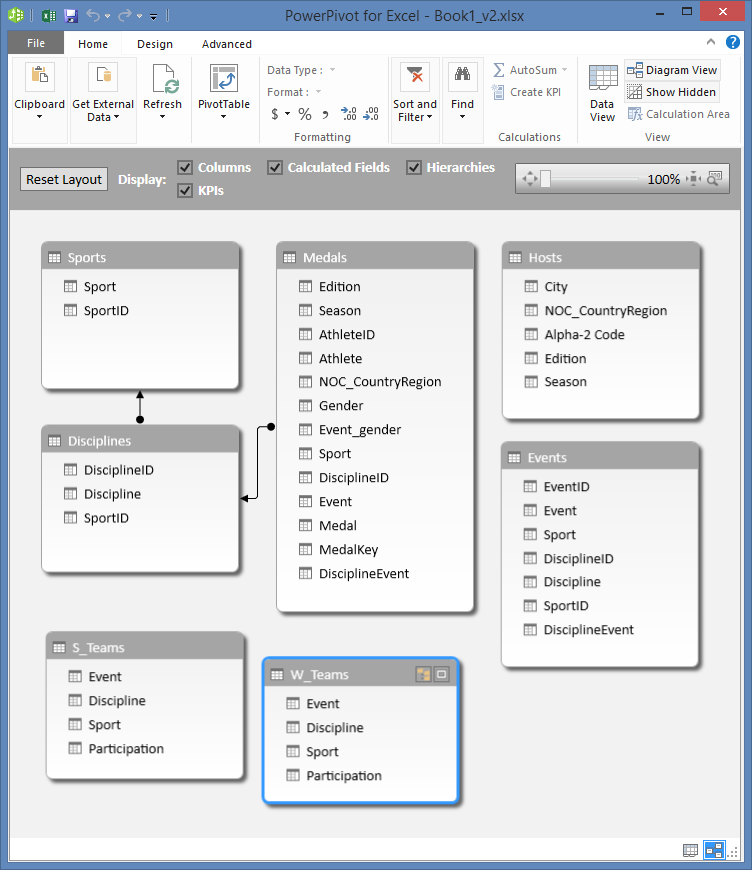

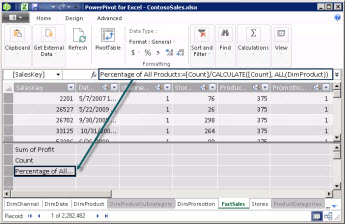
PowerPivot is Excel’s data modeling and analytics engine. It allows users to work with large datasets, define relationships between tables, and create advanced calculations using DAX (Data Analysis Expressions).
Benefits of Using PowerPivot Within Excel
1. Handles Large Volumes of Data
One of the key benefits of using PowerPivot within Excel is its ability to work with millions of rows of data—far beyond standard worksheet limits.
2. Eliminates Complex Lookup Formulas
Instead of relying on nested VLOOKUP or XLOOKUP formulas, PowerPivot uses relationships between tables, resulting in:
- Cleaner spreadsheets
- Faster performance
- Easier maintenance
3. Advanced Calculations with DAX
PowerPivot enables advanced business calculations such as:
- Year-to-date totals
- Rolling averages
- Growth percentages
- Variance analysis
These calculations automatically respond to filters and slicers, making reports more dynamic and insightful.
4. Faster, More Powerful PivotTables
PivotTables built from the PowerPivot Data Model are more flexible, scalable, and performant than traditional PivotTables.
The Benefits of Using PowerQuery and PowerPivot Together in Excel
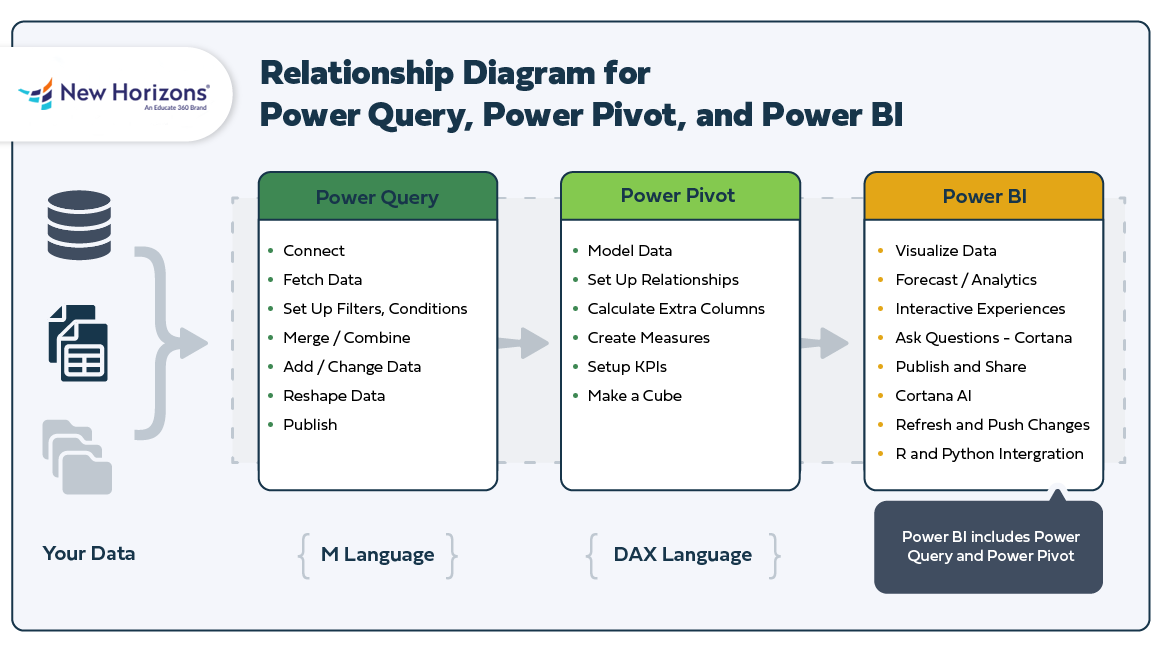

While each tool is powerful on its own, the true value comes from using PowerQuery and PowerPivot together within Excel.
A Modern Excel Analytics Workflow
- PowerQuery imports and cleans raw data
- Clean data is loaded into Excel’s Data Model
- PowerPivot creates relationships and calculations
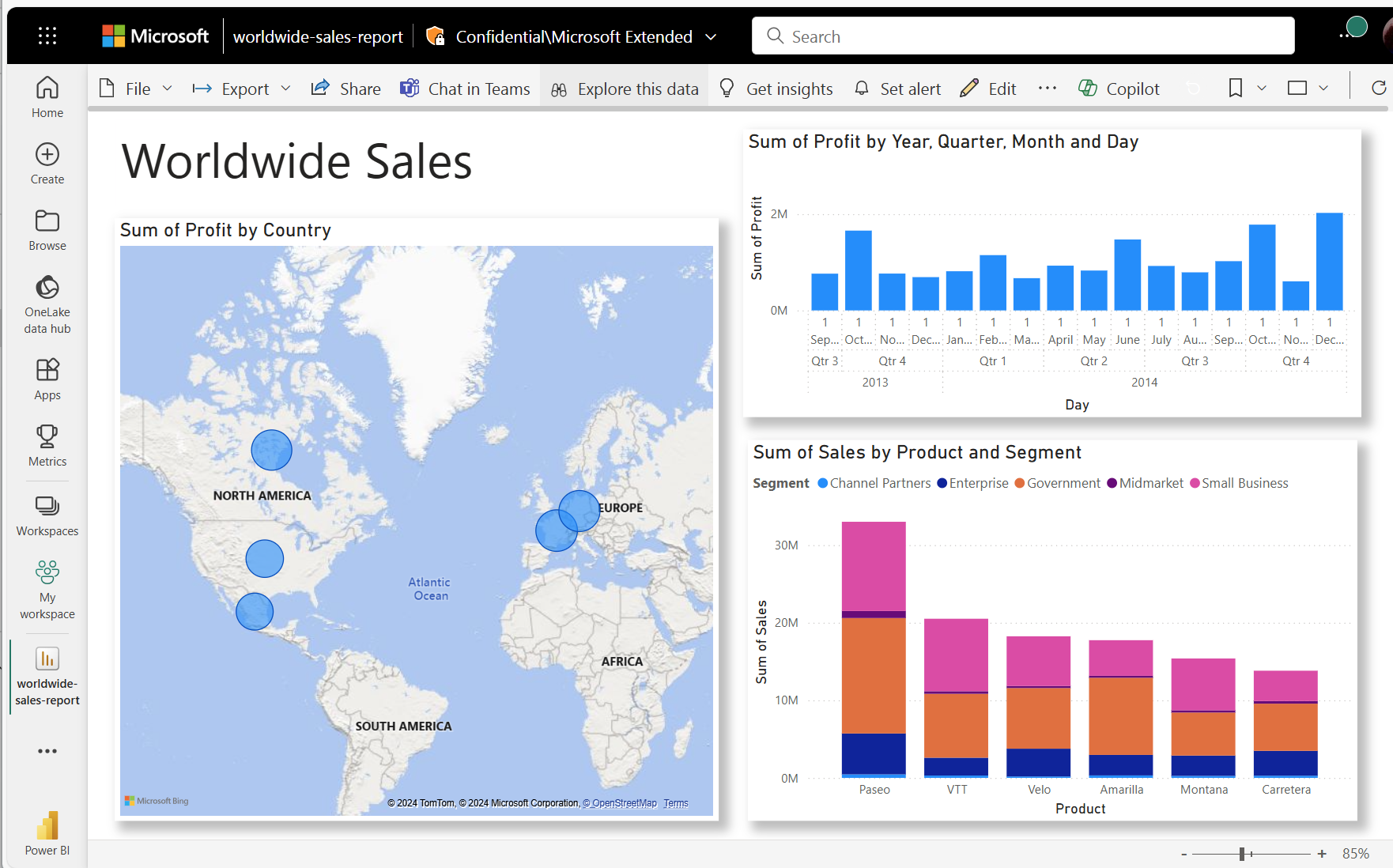
- Reports, PivotTables, and dashboards consume the model
This separation of data preparation and analysis results in cleaner, faster, and more reliable Excel solutions.
Business Benefits of Using PowerQuery and PowerPivot Within Excel
Organizations that adopt these tools experience immediate advantages, including:
- Reduced manual effort and rework
- Fewer formula errors
- Faster refreshes with large datasets
- Scalable reporting solutions
- Improved collaboration and auditability
For finance, sales, operations, and management teams, these benefits translate into better decisions made faster.
Who Should Use PowerQuery and PowerPivot in Excel?
The benefits of using PowerQuery and PowerPivot within Excel apply to:
- Finance and accounting professionals
- Sales and operations analysts
- Business managers
- Anyone responsible for recurring reports
- Excel users preparing for Power BI
If you already use PivotTables, these tools are the natural next step.
Final Thoughts: Why PowerQuery and PowerPivot Matter
Understanding the benefits of using PowerQuery and PowerPivot within Excel allows professionals to move beyond basic spreadsheets and into modern data modeling—without leaving Excel.
These tools don’t replace Excel; they elevate it. By automating data preparation and enabling advanced analytics, PowerQuery and PowerPivot help users work smarter, faster, and with greater confidence.
If your Excel work involves repeated reports, multiple data sources, or growing datasets, PowerQuery and PowerPivot are no longer optional—they are essential.
For many live webinars on PowerQuery, PowerPivot, Excel, ChatGPT, CoPilot, PowerBI and other topics go to http://www.pcwebinars.com